






MetOcean and weather monitoring

Squall Warning System

See the weather coming, before it reaches the installation.

Squalls can build within minutes. Sudden strong winds, torrential rain, hail and lightning often arrive with little warning, putting crane lifts, helicopter operations and offloading at risk.

The Squall Warning System detects approaching squall lines with Furuno weather radar and gives the control room time to plan, pause or secure weather-critical work, with the warnings arriving in DADAS.

Powered by  Furuno

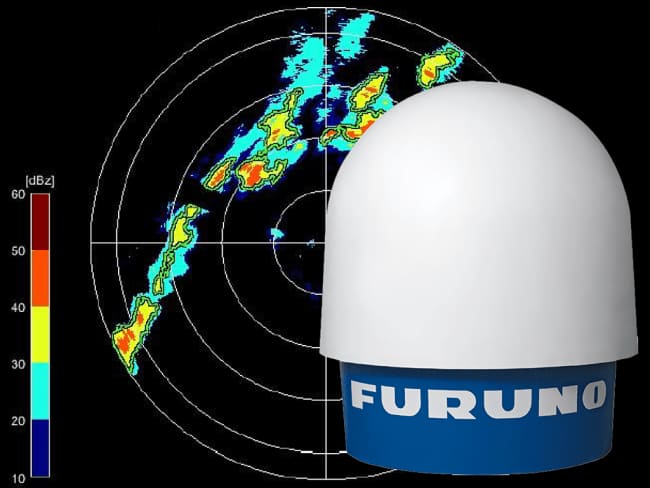
Furuno weather radar with a squall line on the radar display

What it gives you

Time to act

Squall lines are picked up at range, so there is time to plan, pause or secure a lift, a flight or an offloading operation before the weather arrives.

Nobody has to watch the screen

New radar data is analysed every five minutes and squall lines are found automatically. The alert comes to the operator.

Warnings set for your site

Four warning levels, graded on rain intensity and speed, with thresholds agreed at commissioning with the people who act on them.

On the screens you already use

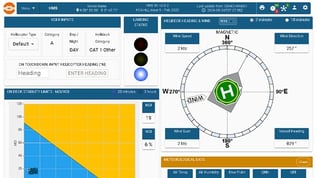
Squall status, level, ETA, direction and speed in DADAS beside wind, waves and helideck data, with alarms into your control systems.

Adverse weather can arrive with little warning

Particularly in the summer months, intense showers can bring torrential rain or hail, often with sudden strong winds, lightning and thunder. These conditions develop quickly, so a storm can reach an installation before the crew has time to react. For offshore operators, that means risk to:

  • Crane lifts and deck work
  • Helicopter operations
  • Offloading and marine operations
  • Personnel safety and critical infrastructure
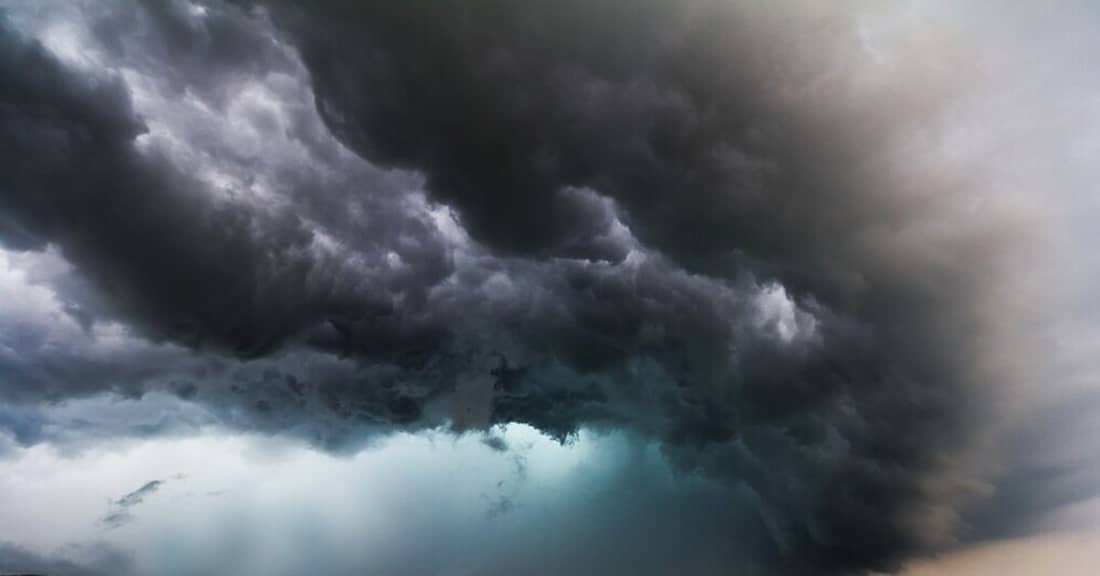
Dark storm clouds building over the sea

What is a squall warning?

A squall warning informs decision makers about sudden and adverse weather.

Wind

A significant and sudden increase in wind speed.

Lightning

Often accompanied by lightning and thunder.

Precipitation

Substantial rain, hail or snow, with reduced visibility.

The system at a glance

The Squall Warning Software (SWS) was developed by Aalborg University in collaboration with Furuno, and runs with the Furuno WR2120 and WR110 weather radars.

Live radar picture

Continuous display of reflectivity and Doppler velocity.

Automatic detection

Squall lines are found without operator input.

Automatic alerts

Issued in line with the squall warning criteria.

Four warning levels

Customisable to local conditions and experience.

Historical data

Seven days of radar data in the open HDF5 format, with warning history kept for longer in DADAS.

Open API

For integration with third-party systems.

From radar scan to warning in five minutes

The system combines two radar measurements. Reflectivity shows how intense the rain, hail or snow is. Doppler velocity shows how fast it is moving.

1

Scan

The weather radar scans 360° in azimuth at several elevations, measuring precipitation at different heights.

2

Select

One elevation, chosen by the user, is used for the squall analysis. The others are stored for later offline analysis.

3

Analyse

New observations are analysed every five minutes for high reflectivity and Doppler velocity.

4

Warn

When the values exceed the pre-set limits and form a squall line, a warning is issued.

5 minanalysis cycle
360°azimuth coverage
4customisable warning levels
7 daysof radar data on the SWS server, with long-term warning history in DADAS

When is a squall warning issued?

A warning is only issued when all of these conditions are met, which focuses the alert on organised squall lines rather than isolated showers.

Limit

Reflectivity or Doppler velocity above a set level

0.75

Cells form a line-like structure with a linearity of 0.75

20 km

Minimum length of the squall line

5 km

Maximum distance between the cells in the line

10 min

The line must persist for at least ten minutes

Default warning levels

LevelStatusReflectivity (dBZ)Doppler velocity (m/s)
0No warningbelow 35below 15
1Level 135 to 4515 to 20
2Level 245 to 5020 to 25
3Level 350 to 5525 to 30
4Level 455 and above30 and above

Reflectivity and Doppler velocity are graded separately and can occur in different combinations. The values are defaults and can be adjusted to local conditions and operating experience; we recommend agreeing them at commissioning with the people who will act on the warning.

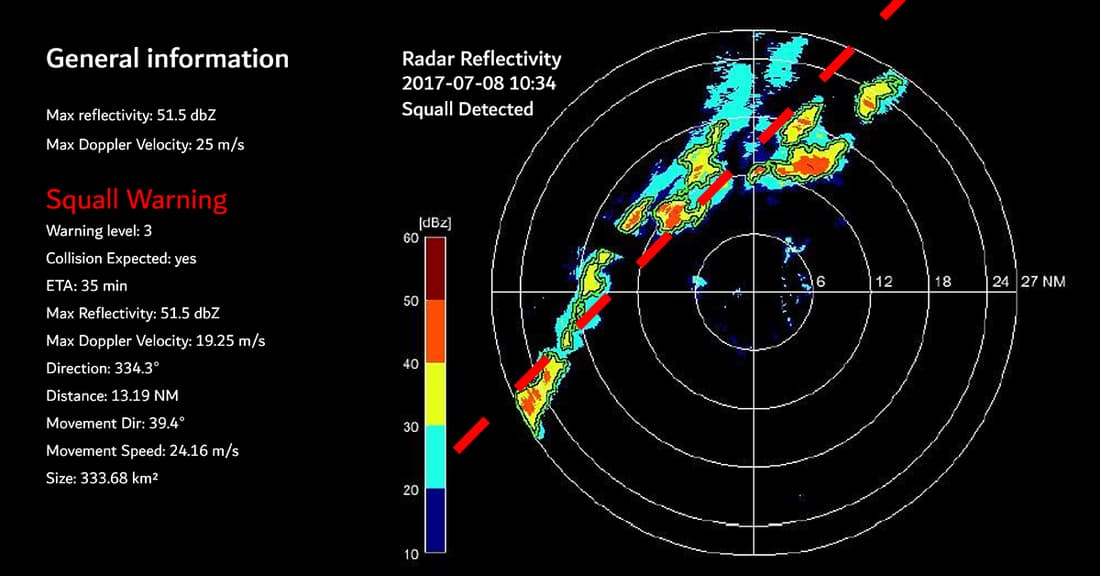
Squall Warning display showing a detected squall line with warning details

Example display with a squall line detected. Image: Furuno.

How to read a squall warning

1

Installation at the centre

North up, refreshed automatically every five minutes.

2

Range rings

6, 12, 18, 24 and 27 NM. The outer ring marks the detection range used in the analysis.

3

Key information panel

Maximum reflectivity and Doppler velocity, then Squall Warning or No Warning.

4

Squall details

Warning level, expected collision, ETA, direction, distance and speed.

5

30-minute replay

An animation shows the size, speed, direction and intensity of the squall.

Integrated with DADAS and your systems

Squall warnings arrive in DADAS alongside your MetOcean data, and the alarms go on to your own control systems.

Furuno radar

WR2120 or WR110 scans the weather

Radar processing unit

Processes the raw radar data

SWS server

Squall Warning Software detects squall lines

DADAS connector

Sends squall data to DADAS over TCP

DADAS

Displays, logs and raises the alarm

One picture in DADAS

  • Squall status, warning level, ETA, direction and speed shown alongside wind, waves and helideck data
  • Live on the DADAS client and web displays, in the control room and beyond
  • Every warning logged, with trends and history for later review
  • Remote access across sites through Orbalux

Alarms into your systems

  • Squall alarms with visual and audible alerts, including voice announcements
  • Passed on to your control and safety systems over Modbus, OPC and other standard protocols
  • Alarm limits set per channel and user role, agreed with you at commissioning
  • System and sensor status monitored, so a fault is flagged rather than missed

One partner from radar to service

WISE Group has seven Furuno weather radars with the Squall Warning Software delivered or in delivery, and trained engineers for installation and operation.

1

Supply

Furuno WR2120 or WR110 radar with the Squall Warning Software.

2

Integrate

Squall warnings in DADAS, with alarms passed to your control systems.

3

Back up

For sites running two weather radars, a backup system keeps squall warnings running.

4

Install and commission

Offshore installation, configuration of thresholds and alert levels, and operator familiarisation.

5

Service

Ongoing support and maintenance from our teams in Stavanger and Aberdeen.

The Squall Warning System is a decision support tool. It supports the judgement and good seamanship of the operator, and decisions should never be based on this system alone.

Furuno WR2120 weather radar

Powered by Furuno weather radar

The radar behind the warnings

The Squall Warning System runs on the Furuno WR2120, our recommended dual polarimetric X-band Doppler weather radar, or the WR110. See what the radars show, how they compare and how a backup radar covers critical operations.

Explore the weather radars

Where to next

The Squall Warning System sits in MetOcean and Weather Monitoring, one of six monitoring areas WISE Group delivers. It is most often supplied as part of an Environmental Monitoring System scope rather than on its own.

In this area: Environmental Monitoring System · Weather Stations · Forecasting Weather Systems

Related systems: Helideck Monitoring System · Lightning detection

Also useful: Weather radar · DADAS software · Service and support

Useful to include

  • The installation and where a radar could be sited
  • The operations to protect: crane lifts, helicopters, offloading
  • Your existing MetOcean and DADAS set-up
  • Timeline, and whether a backup radar is needed

What happens next

1

Our engineers review the installation and the operations you need to protect.

2

We come back on the choice of radar, siting and how the warnings reach DADAS.

3

You get a scope covering radar, software, installation and service.

Prefer to talk it through?

Our teams in Stavanger and Aberdeen can take you through the options for your installation, from a single radar to a redundant set-up.

Contact our team

Get in touch

Tell us about the installation and the operations you need to protect, whether that is crane lifts, helicopter traffic or offloading. We will come back on the choice of radar, where it can be sited, and how the warnings reach DADAS and your control systems. You can also contact us directly.