





Software › PACE
Software
PACE: Processing and Collection Engine
Real-time data acquisition and processing for helideck and meteorological monitoring installations
PACE is a real-time data acquisition and processing platform from Muir Matheson, part of WISE Group.
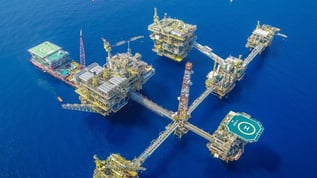
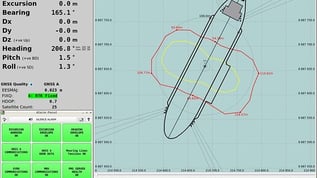
It is in operational use on offshore platforms and vessels, where it collects, processes, displays and logs meteorological and motion data for helideck and environmental monitoring.
Support from WISE Group
WISE Group provides technical support, configuration and maintenance for PACE systems.
Support may include troubleshooting, configuration assessment, sensor and communication issues, historical data questions, software licence assistance, connectivity and upgrade planning.
The support required depends on the PACE version, computer hardware, operating system and system configuration. Browse PACE guidance.
What PACE does
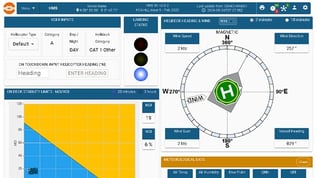
PACE provides the local acquisition, processing and display functions within helideck and meteorological monitoring systems. Learn how PACE works.
Real-time data acquisition
Collects measurements continuously from connected meteorological and motion sensors.
Data processing
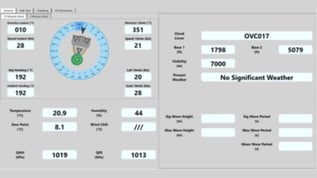
Validates measurements and calculates operational parameters such as mean wind speed, gusts, QFE and QNH.
Operator displays and alarms
Presents processed information on local and networked displays, with configured thresholds and alarm indications.
Historical logging and data forwarding
Records configured parameters for historical review and can forward selected data to supported external platforms.
Working with PACE
The right approach depends on the installation and the customer’s operational requirements.
Support and maintenance
Technical support, maintenance and configuration changes that keep a PACE system running as it should.
Remote access through Orbalux
PACE data can be forwarded to Orbalux to provide remote dashboards, historical access and controlled data sharing alongside the local system.
Hardware and system upgrades
When computer hardware, operating systems or requirements change, WISE Group scopes and delivers the upgrade.
WISE Group can review the installed sensors, interfaces, displays, reports and operational requirements before recommending the appropriate way forward.
Remote access
Connect PACE data to Orbalux
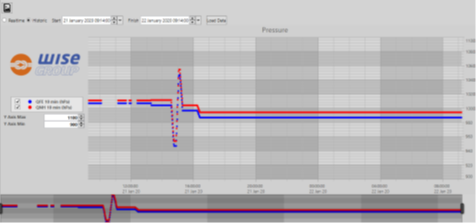
Orbalux is WISE Group’s cloud platform for dashboards, historical access and controlled data sharing.
PACE systems can forward selected processed data to Orbalux through an approved outbound connection, adding remote dashboards and data sharing alongside the local system.
The available integration method depends on the PACE version, system configuration, network connectivity and customer cybersecurity requirements. Read about PACE and Orbalux integration.
PACE technical guidance
Access technical information for operating and supporting a PACE installation, or view all PACE guidance.
Understanding PACE alarms and thresholds
Learn how PACE presents warnings, alerts and alarms, including high and low thresholds and hysteresis.
Finding and exporting historical PACE data
Learn where PACE stores historical data, how timestamps are handled and what to check when records appear incomplete.
What is PACE and how does it work?
Understand how PACE acquires, processes, displays and logs data within a monitoring system.
Need help with a PACE system?
If you are experiencing a fault or planning a configuration change, our support team can help.
When contacting us, please include the installation name, PACE version if known, affected parameter or display, when the issue started and details of any recent system changes.
Where to next
The right setup for each installation depends on what it has to do.
In this area: Software overview · Orbalux · DADAS
Related systems: Helideck Monitoring System · MetOcean and weather monitoring
Also useful: PACE guidance · Support · Service and support
Useful to include
- The installation name, and the PACE version if known
- The affected parameter or display, and when the issue started
- Any recent system changes
What happens next
We review the installation and its operational requirements.
We recommend support, configuration changes, Orbalux connectivity or an upgrade.
You get a scope for the work.
Get in touch
Tell us about the installation and what you need from it, and we will come back with the right way forward.
You can also contact us directly.